Since Windows 10 and Windows Server 2016 I noticed that sometimes a batch or powershell script is hanging or freezing in the middle of an operation. It continues if the escape key is pressed.
This also happens to my console application. So, I run it in debug mode from Visual studio and it also stalls out of the blue in the middle of a method like a breakpoint is hit.
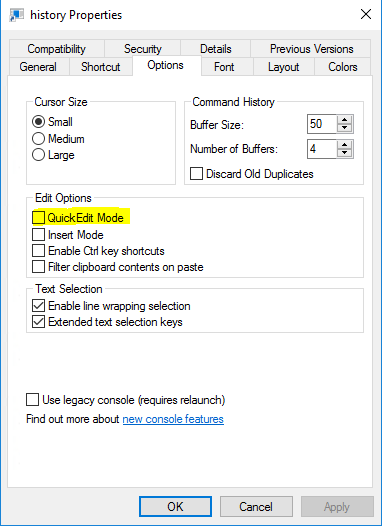
This seams to be a new “feature” of Windows 10 command prompt called: Quick Edit
If you click in the Command prompt of a running script it is paused, so it is possible to select the text. By pressing the escape key the script continues.
It is possible to disable this annoying feature:
1. Create a shortcut to the script or console application.
2. Right click and choose Properties.
3. Disable the Quick Edit Mode option.